
MyArkevia is based on an architecture with two distinct portals, and confusing the two is the first security mistake. The portal myarkevia.com is the employee space, where Leroy Merlin employees can consult pay slips, contracts, and certificates. The portal arkevia.com, on the other hand, is reserved for the employer for document submission. This technical separation, implemented by Cegedim, ensures that the company never accesses the content of the vault once the files are deposited.
Separation of MyArkevia and Arkevia Portals: An Underestimated Technical Point
The distinction between the employee portal and the employer portal is not cosmetic. It applies a principle of access minimization in accordance with GDPR: each actor only sees what concerns them.
For employees, the account is personal and linked to a personal email address. This detail has a direct consequence: the vault remains active after leaving the company, provided that the personal email address is provided and up to date. Many Leroy Merlin employees discover too late that they have left their work email as the only identifier, which blocks any recovery once the ADEO account is deactivated.
To log in to MyArkevia Leroy Merlin safely, we recommend checking at the first login that the email associated with the account is indeed a personal address, not an address ending in @leroymerlin.fr or @adeo.com.
For employers, the portal arkevia.com is solely used to configure automated payroll dispatches. No read access to the employee’s vault is possible from this interface. This separation of roles is a structural security mechanism, not just a matter of ergonomics.
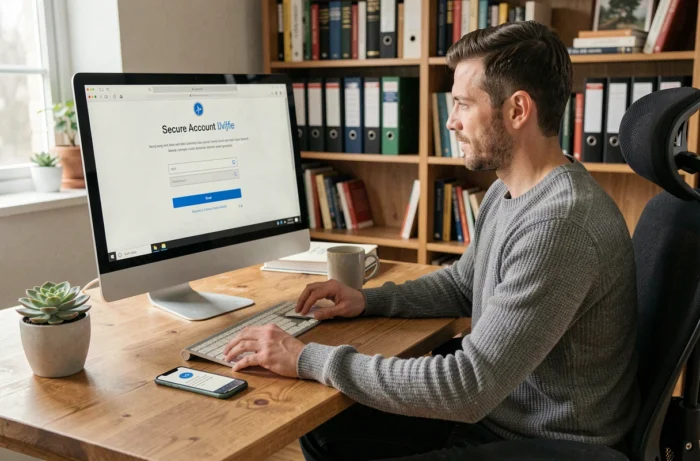
MyArkevia Password Reset: A Weak Link to Secure
The password reset procedure on MyArkevia relies exclusively on email. No verification by SMS, no security questions, no native two-factor authentication. This is the most concrete point of vulnerability of the platform.
In practice, anyone who accesses the email box associated with the account can reset the password and view all archived documents. For an employee using a Gmail or Outlook address without two-factor authentication, the digital vault is only protected by the strength of the email password.
Protection Measures to Implement Immediately
- Enable two-factor authentication (2FA) on the personal email linked to MyArkevia, whether through an app like Google Authenticator or by SMS
- Use a unique password for MyArkevia, different from that of the email and any other online service
- Regularly check in the account settings that the recovery email address is still valid and accessible
- Never log in to MyArkevia from a public Wi-Fi network without a VPN, as credentials are transmitted in clear text over an unencrypted network
The absence of 2FA on the MyArkevia side places all security responsibility on the employee. We observe that this transfer of responsibility is rarely explained when activating the vault in the company.
Long-Term Storage and Legal Value of Archived Documents
MyArkevia promises durable storage of documents, often presented as “lifetime” archiving. This wording deserves technical clarification. The announced retention period reaches several decades, which more than covers the legal obligations for retaining pay slips.
The legal value of the deposited documents relies on a timestamping and sealing mechanism that guarantees that the file has not been modified after submission. A pay slip viewed on MyArkevia has the same legal value as the original paper version, provided that the vault meets the standards for legally valid archiving.
What This Means for a Leroy Merlin Employee
In the event of a labor dispute or a mortgage application, documents downloaded from MyArkevia are admissible. The electronic seal affixed upon submission by the employer serves as proof of integrity.
A common trap: downloading a document, modifying it (even inadvertently by saving it in another format), and then presenting it as supporting evidence. The file then loses its integrity seal. We recommend always providing the original PDF as downloaded, without conversion or annotation.
Managing the MyArkevia Account After Leaving Leroy Merlin
The MyArkevia digital vault is not linked to the employment contract but to the employee. After resignation, dismissal, or the end of a fixed-term contract, the account remains accessible. The employer simply stops depositing new documents.
The technical condition is clear: the personal email address must be provided before the deactivation of the ADEO account. Once access to the internal network is cut off, there is no recovery mechanism through the company.
- Before leaving, download a local copy of all documents to a personal storage device (hard drive, encrypted USB stick)
- Update the email address of the MyArkevia account to switch it to a permanent personal address
- Test the login from a personal device outside the Leroy Merlin network to confirm that access works
An employee who leaves Leroy Merlin without updating their email may potentially lose access to several years of pay slips. This situation, although theoretically reversible through Cegedim support, takes time and requires manual identity verification.
The security of a digital vault does not solely depend on the technical infrastructure. On MyArkevia, it largely relies on simple actions by the employee: choice of email address, strength of the email password, preservation of original files. These details, rarely addressed in connection guides, make the difference between reliable archiving and false security.